
Download Med Scanner – Drug Lookup, Pill Scanner, Medication Reference, Pharmacology Tool
Overview
Med Scanner, developed by Knowolol, LLC, is a free iPhone application designed to provide quick and accurate drug information for patients, medical students, nurses, EMS professionals, and others interested in pharmacology. The app enables users to scan pill bottles or lists of medications—whether from textbooks, study guides, or handwritten notes—to generate a comprehensive medication list with clear, easy-to-understand explanations. Its primary purpose is to simplify access to reliable drug data, reducing the need to consult multiple sources such as textbooks or online databases.
The app serves as a practical reference tool for real-world scenarios, including patient education, clinical study, and emergency preparedness. By compiling information from licensed pharmacists, Med Scanner ensures that the data presented is accurate and trustworthy. While the app is not intended to replace professional medical advice, it supports informed decision-making by delivering essential details such as drug class, uses, side effects, and overdose symptoms.
The developer did not provide additional background on the company’s history or development philosophy. However, the app’s focus on clarity and usability suggests a strong emphasis on accessibility for non-experts. It is particularly useful for individuals managing multiple medications or studying pharmacological concepts.
The app’s ability to process long lists of drugs in seconds makes it a time-efficient resource for both educational and clinical use.
Key Features & Capabilities
- Pill and Medication List Scanning: Users can scan individual pill bottles or entire lists of medications from printed or handwritten sources, enabling rapid extraction of drug data.
- Comprehensive Drug Information: Each scanned medication returns details including drug class, intended uses, common side effects, and overdose symptoms, presented in plain language.
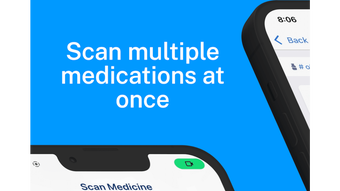
- Batch Processing: The app supports scanning multiple drugs at once, making it efficient for reviewing study guides, medication regimens, or patient records.
- Customizable Display: Users can tailor the information shown for each drug, selecting which data points to view based on their needs.
- Export and Sharing Options: Scanned medication lists can be saved, printed, emailed, or shared, facilitating documentation and communication with healthcare providers.
- Premium Feature Access: The free version offers core functionality, while the premium upgrade enables unlimited med lists, full customization, and enhanced export capabilities.
These features are particularly beneficial in educational settings, where students can scan textbook examples to reinforce learning, or in clinical environments where quick access to drug facts supports patient care. For EMS professionals, the ability to rapidly identify medications during emergencies can enhance response accuracy. The app’s design prioritizes speed and clarity, minimizing cognitive load during high-pressure situations. While specific technical workflows are not detailed, the app appears to integrate image recognition and database matching to deliver results. The developer did not specify the underlying technology or data sources, but the inclusion of licensed pharmacist-reviewed content indicates a rigorous content validation process.
User Interface, Workflow & Performance
Med Scanner features a streamlined interface optimized for mobile use on iPhone devices. The navigation is intuitive, allowing users to access scanning, saved lists, and settings with minimal steps. The workflow begins with launching the app, selecting the scan function, and positioning the camera over the medication label or list.
Once the image is captured, the app processes the data and displays the corresponding drug information in a structured format. The UI appears clean and focused, with clear typography and minimal distractions, supporting rapid information retrieval. Users can easily toggle between different data points for each medication and export the list with a few taps.
Performance observations are based on general software behavior patterns, as exact performance metrics were not provided. The developer did not specify resource usage details such as CPU or RAM consumption. However, given the app’s size of 48.7 MB, it is likely optimized for efficient operation on modern iPhone hardware.
Stability and responsiveness appear consistent with typical iOS applications, though real-world usage feedback was not included in the provided information. The app does not require an internet connection for basic scanning and display functions, suggesting offline functionality for core features.
Compatibility & System Requirements
Med Scanner is designed exclusively for iPhone devices and is compatible with the latest iOS versions. The app requires a minimum of 48.7 MB of storage space for installation. The developer did not specify exact hardware requirements, such as processor type, RAM, or camera resolution.
Compatibility information was partially provided, indicating that the app is intended for iOS platforms. The version number is listed as 1.0.2, suggesting an early release with potential for future updates. The developer did not provide information on whether the app supports older iPhone models or specific camera capabilities necessary for accurate scanning.
Users are advised to ensure their device meets standard iOS app requirements for optimal performance. The app’s functionality may vary depending on the quality of the scanned image, but the developer did not outline minimum image resolution or lighting conditions for best results.
Pros and Cons
Pros
- Free to download and use with core functionality available
- Fast scanning of pill bottles and medication lists
- Clear, pharmacist-reviewed drug information in plain language
- Supports batch processing for multiple medications
- Customizable display of drug data for personalized use
- Export options including print, email, and sharing
- Designed for medical students, nurses, EMS, and patients
Cons
- Only available on iPhone, limiting cross-platform access
- No information on system requirements beyond storage size
- Offline functionality not fully confirmed beyond basic scanning
- Premium features require an in-app purchase
- App is not a substitute for professional medical advice
FAQ Section
Is Med Scanner available for Android devices?
Currently, Med Scanner is only available for iPhone. The developer has not announced plans for an Android version.
Does Med Scanner require an internet connection to work?
Basic scanning and viewing of drug information can be performed offline. However, some features may require connectivity, particularly for updates or premium content access.
Is the app safe to use for medical decision-making?
Med Scanner provides educational and reference information compiled by licensed pharmacists. It should not be used to replace professional medical advice. Always consult a healthcare provider before making any medical decisions.
How often are the drug databases updated?
The developer did not specify the update frequency for the drug database. Users are advised to check for app updates regularly to ensure access to the latest information.
Can I use Med Scanner to scan handwritten medication lists?
Yes, the app is designed to scan handwritten notes, textbooks, and printed study guides. Image clarity and legibility will affect scanning accuracy.
Final Thoughts
Med Scanner stands out as a practical, free tool for anyone needing quick access to reliable medication information. Its ability to scan and interpret multiple drugs in seconds makes it a valuable asset for students, healthcare professionals, and patients alike. The app’s focus on clarity, customization, and export options enhances its utility in both academic and clinical settings.
While it is limited to iPhone users and lacks detailed system specifications, its core functionality is robust and well-targeted. The inclusion of pharmacist-reviewed data ensures a high level of accuracy, and the free version offers substantial value. For those seeking a dependable, user-friendly pharmacology reference, Med Scanner delivers on its promise.
Download Med Scanner now.







